Table of Contents
Introduction
How to eliminate legacy code? Martin Fowler and Michael Feathers both agree that lack of tests are core factor in legacy code. With AI agents, tackling legacy code and turning it into “evergreen” code is easier than ever.
What is legacy code?
Ah, the familiar smell of legacy code waiting to be tackled. Do you like it as well? Wait, what? You don’t like handling legacy code?
But… but… it’s the kind of code developers work with 80% of the time!
It’s not surprising at all that developers think badly of legacy code. After all, it has the tendency to be less readable, more prone to break and harder to maintain. So in the least, it slows us down and tends to break when trying to speed up.
Martin Fowler defines legacy code as code that’s usually quite complex, often lacks good tests and is sometimes simply code written by someone else.
That’s quite an obscure definition.
Michael Feathers, in his book “Working Effectively with Legacy Code,” offers a closely related but more specific definition: “Legacy code is code without tests.”
No matter which side you’re on – Fowler or Feathers – they both share two things: a surname starting with “F”, and the same core complaint about legacy code: not enough tests.
Hence, tests must be at least a major part of the solution.
What does legacy code look like?
We will take a look at code from this repository:
https://github.com/lucaminudel/TDDwithMockObjectsAndDesignPrinciples
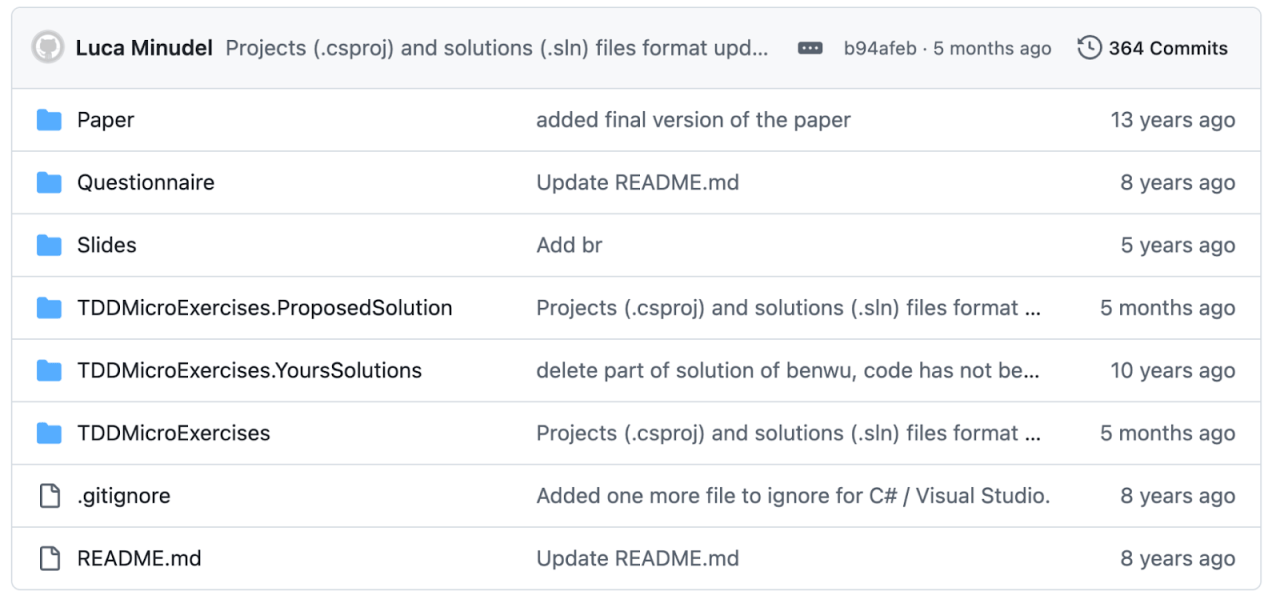
As you can see, the code is old. Some of the files were not updated for 13 years.
Does this make it legacy code?
Not necessarily. If it’s easy to run the tests, and the tests are sufficient, then it should be easy to maintain the code.
Let’s dive deep and see.
* For the purpose of this article we will focus on the JavaScript exercise in this repository.
Is the code legacy code?
Let’s focus on the telemetry-system folder and its tests. While probably not as complex as systems you develop in your day-to-day, it is certainly not a simple Fizz-Buzz.
The code consists of two implementation files that were written and updated 12 to 14 years ago.
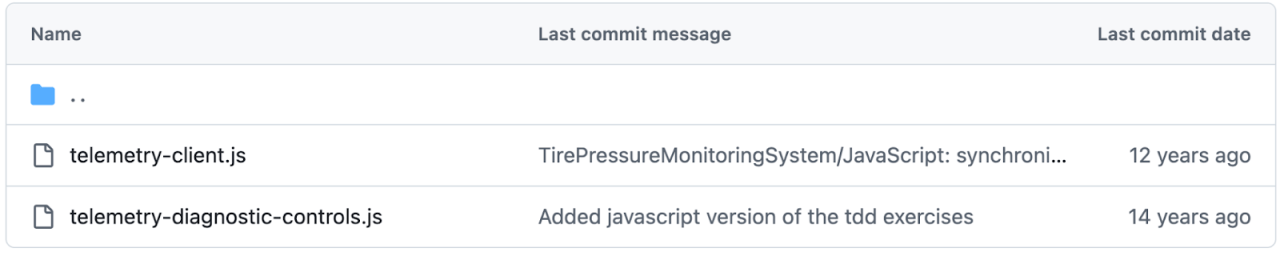
There’s also a test file, also written 14 years ago:

So, just from looking at the files we see we have an old code base with a single test file that probably tests only the telemetry-diagnostic-controls.
Because both definitions of legacy code mention tests, let’s take a peek into the test file.
describe('Telemetry System', function () {

    describe('TelemetryDiagnosticControls', function () {

       it('CheckTransmission() should send a diagnostic message and receive a status message response', function () {

       const target = new TelemetryDiagnosticControls();
target.checkTransmission();

       const result = target.readDiagnosticInfo();

       });

    });

});
The obvious is that there aren’t enough tests. Actually, there are no tests at all, since there’s no expectation. That’s expected as the Kata is meant to train us in covering the code with tests – but is it different from most code bases?
Both definitions of legacy code mention lack of or low quality of tests as a criteria.
So this code is not only old, but also not tested. Hence, it is legacy code.
Moreover, because we were never involved in this project, it is also legacy code in the sense we didn’t write it (Fowler, et. al.). We need to read most of its lines of code in order to understand what it does.
Is there a way to make code not legacy? To be both tested and easily understandable without reading every line of code?
How to Convert Legacy Code to Clean Code?
Since testing is emphasized in both definitions of legacy code, writing tests will satisfy most of the requirements to eliminate legaciness.
We will skip the part in which we “revive” the testing infrastructure. 14 years can make a mess of old libraries. Let’s start to cover our code.
What we used to do
In the “past”, when one needed to cover legacy code in tests, one would go over the lines of the old code, test them, refactor and move on to the next lines of code.
This process, while worthwhile and definitely preferable to just going over the lines, understanding what the code does and not testing it in the process,
Today we have AI, and the process is so much faster.
Covering the code with AI
For this part, we will be working with VSCode and github co-pilot. Feel free to use any other co-pilot.
We will start by testing the telemetry-diagnostic-controls.
Setting Up Our Environment
Because the current test is meaningless, we can start with a blank test suite:
describe('TelemetryDiagnosticControls', function () {

});
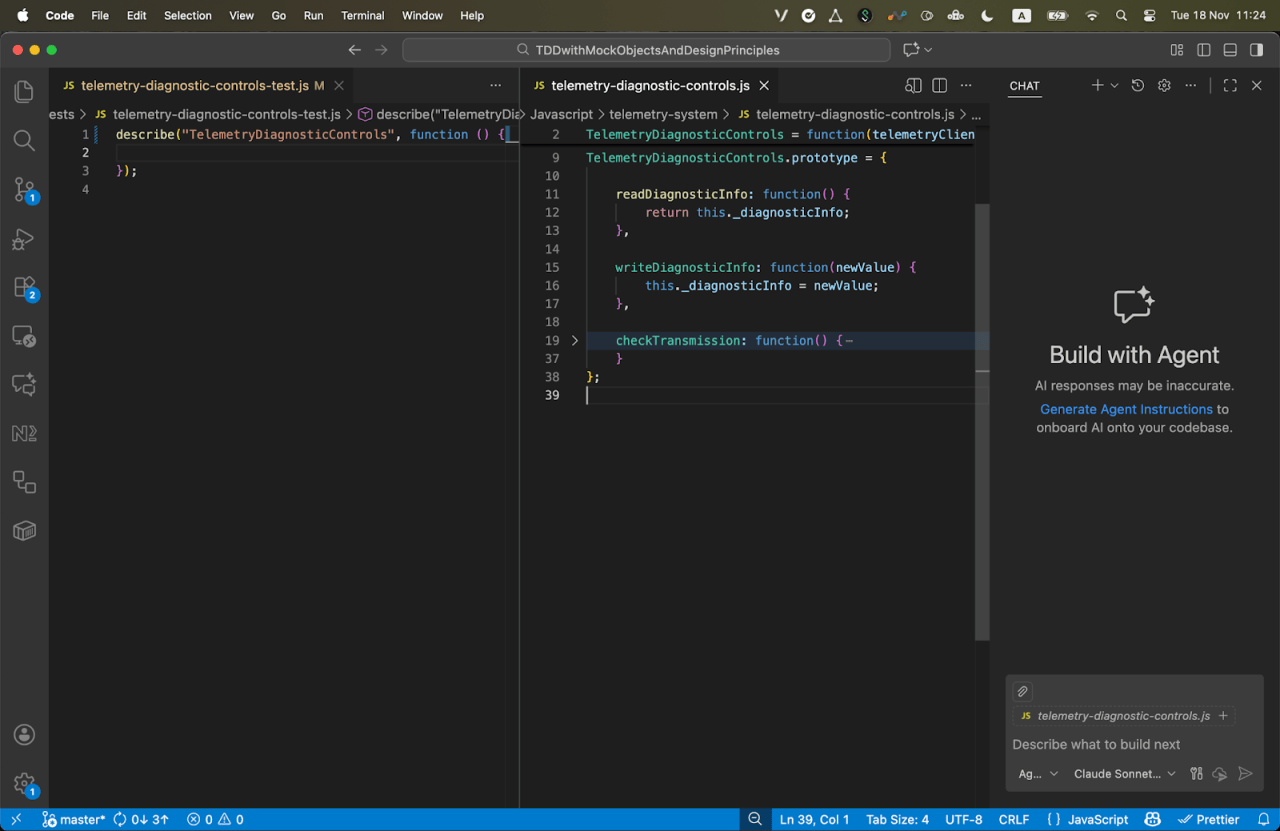
And now set our IDE to show the test file, the implementation file and our co-pilot chat window:
Prompting Up Tests
Prompting is easy; writing effective prompts requires practice.
I could ask it the following:
Write the tests for the component
The tests suite the AI Agent generated is long and cumbersome.
Click here to see the tests code. While at it, answer honestly: how eager are you to read them? (pro tip: don't read the tests - keep reading the article)
describe("TelemetryDiagnosticControls", function () {
describe(“constructor”, function () {
it(“should initialize with empty diagnostic info”, function () {
var controls = new TelemetryDiagnosticControls();
expect(controls.readDiagnosticInfo()).toBe(‘’);
});
   it("should accept a telemetry client as parameter", function () {
       var mockClient = jasmine.createSpyObj('TelemetryClient', ['disconnect', 'connect', 'onlineStatus', 'send', 'receive']);
       var controls = new TelemetryDiagnosticControls(mockClient);
       expect(controls._telemetryClient).toBe(mockClient);
   });


   it("should create default telemetry client if none provided", function () {
       var controls = new TelemetryDiagnosticControls();
       expect(controls._telemetryClient).toBeDefined();
       expect(controls._telemetryClient instanceof TelemetryClient).toBe(true);
   });
});
describe(“readDiagnosticInfo”, function () {
it(“should return empty string initially”, function () {
var controls = new TelemetryDiagnosticControls();
expect(controls.readDiagnosticInfo()).toBe(‘’);
});
   it("should return the diagnostic info that was written", function () {
       var controls = new TelemetryDiagnosticControls();
       controls.writeDiagnosticInfo('test diagnostic data');
       expect(controls.readDiagnosticInfo()).toBe('test diagnostic data');
   });
});
describe(“writeDiagnosticInfo”, function () {
it(“should set the diagnostic info”, function () {
var controls = new TelemetryDiagnosticControls();
controls.writeDiagnosticInfo(‘new diagnostic info’);
expect(controls._diagnosticInfo).toBe(‘new diagnostic info’);
});
   it("should overwrite existing diagnostic info", function () {
       var controls = new TelemetryDiagnosticControls();
       controls.writeDiagnosticInfo('first info');
       controls.writeDiagnosticInfo('second info');
       expect(controls.readDiagnosticInfo()).toBe('second info');
   });
});
describe(“checkTransmission”, function () {
var mockClient;
var controls;
   beforeEach(function () {
       mockClient = jasmine.createSpyObj('TelemetryClient', ['disconnect', 'connect', 'onlineStatus', 'send', 'receive']);
       controls = new TelemetryDiagnosticControls(mockClient);
   });


   it("should clear diagnostic info at the start", function () {
       controls.writeDiagnosticInfo('old info');
       mockClient.onlineStatus.and.returnValue(true);
       mockClient.receive.and.returnValue('diagnostic data');

       controls.checkTransmission();

       // Should be cleared before receiving new data
       expect(mockClient.disconnect).toHaveBeenCalled();
   });


   it("should disconnect the telemetry client first", function () {
       mockClient.onlineStatus.and.returnValue(true);
       mockClient.receive.and.returnValue('diagnostic data');

       controls.checkTransmission();

       expect(mockClient.disconnect).toHaveBeenCalled();
   });


   it("should connect successfully on first attempt", function () {
       mockClient.onlineStatus.and.returnValue(true);
       mockClient.receive.and.returnValue('diagnostic data');

       controls.checkTransmission();

       expect(mockClient.connect).toHaveBeenCalledWith('*111#');
       expect(mockClient.connect.calls.count()).toBe(1);
   });


   it("should retry connection up to 3 times if offline", function () {
       mockClient.onlineStatus.and.returnValues(false, false, false, true);
       mockClient.receive.and.returnValue('diagnostic data');

       controls.checkTransmission();

       expect(mockClient.connect.calls.count()).toBe(3);
       expect(mockClient.onlineStatus.calls.count()).toBe(4);
   });


   it("should throw exception if unable to connect after 3 retries", function () {
       mockClient.onlineStatus.and.returnValue(false);

       expect(function () {
           controls.checkTransmission();
       }).toThrow('Unable to connect');
   });


   it("should send diagnostic message after successful connection", function () {
       mockClient.onlineStatus.and.returnValue(true);
       mockClient.receive.and.returnValue('diagnostic data');

       controls.checkTransmission();

       expect(mockClient.send).toHaveBeenCalledWith(TelemetryClient.diagnosticMessage());
   });


   it("should receive and store diagnostic info after sending message", function () {
       var expectedDiagnosticData = 'LAST TX rate................ 100 MBPS';
       mockClient.onlineStatus.and.returnValue(true);
       mockClient.receive.and.returnValue(expectedDiagnosticData);

       controls.checkTransmission();

       expect(mockClient.receive).toHaveBeenCalled();
       expect(controls.readDiagnosticInfo()).toBe(expectedDiagnosticData);
   });


   it("should connect on second retry if first fails", function () {
       mockClient.onlineStatus.and.returnValues(false, true);
       mockClient.receive.and.returnValue('diagnostic data');

       controls.checkTransmission();

       expect(mockClient.connect.calls.count()).toBe(2);
       expect(mockClient.send).toHaveBeenCalled();
   });


   it("should connect on third retry if first two fail", function () {
       mockClient.onlineStatus.and.returnValues(false, false, true);
       mockClient.receive.and.returnValue('diagnostic data');

       controls.checkTransmission();

       expect(mockClient.connect.calls.count()).toBe(3);
       expect(mockClient.send).toHaveBeenCalled();
   });


   it("should not send message if connection fails", function () {
       mockClient.onlineStatus.and.returnValue(false);

       expect(function () {
           controls.checkTransmission();
       }).toThrow();

       expect(mockClient.send).not.toHaveBeenCalled();
       expect(mockClient.receive).not.toHaveBeenCalled();
   });


   it("should use diagnostic channel connection string", function () {
       mockClient.onlineStatus.and.returnValue(true);
       mockClient.receive.and.returnValue('data');

       controls.checkTransmission();

       expect(mockClient.connect).toHaveBeenCalledWith('*111#');
   });
});
});
But hey, who cares, right? It’s amazing! The AI generated tests for our code with a single prompt!
Now we have tested code. No more legacy code. Problem solved.
Or is it?
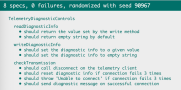
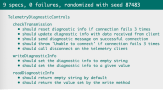
When trying to run the tests, we get a disturbing picture:
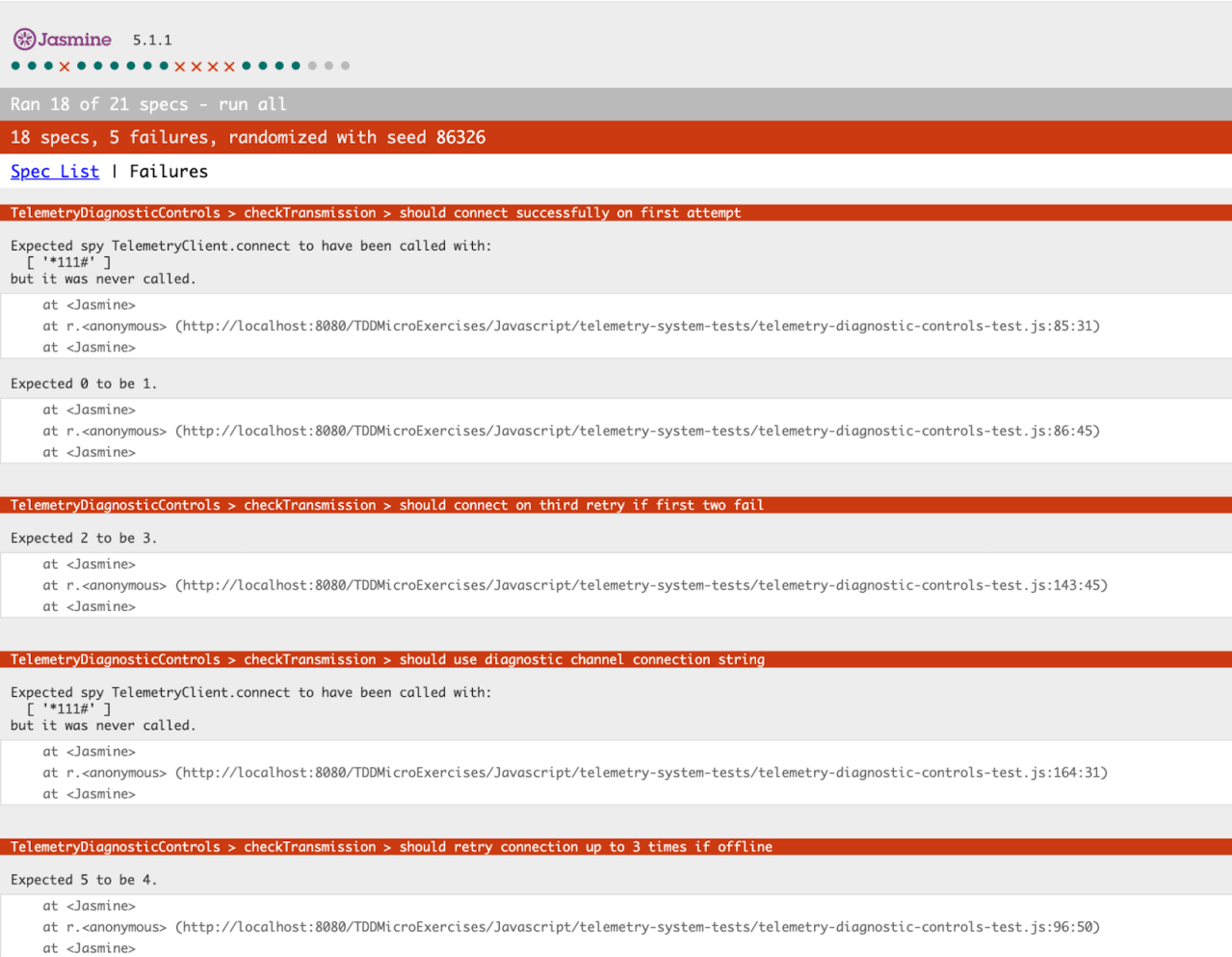
5 of our new and shining tests fail!
Did the AI just create legacy code we need to fix?
Remember I told you not to read the tests? Most developers will skip reading the code generated by the AI. Why? Because it is a lot of code to read! Just like many developers will just write LGTM when faced with a huge PR.
Aside from the tests not passing, looking deeper at the tests, we see the AI made some basic testing errors:
- It is testing private variables – when testing, one should test the components’s/module’s interface. Testing private properties or functions is actually testing implementation detail. This makes our tests fragile.
- It created a test description that didn’t match the test itself – It is critical that a test’s description clearly conveys its meaning and matches the code’s intent for both easy maintenance and verifying the correct functionality.
In the code below we see a description:should clear diagnostic info at the start. The test itself expects a disconnect method to be called on the mockClient object.
While using “start” instead of “init” can pass my scrutiny, it is unclear how calling disconnect clears the diagnostic info. Moreover, what disconnect does is either implementation detail or we make it part of the interface of our component (e.g. the coupling pitfall).
So not only we had failing tests to debug – the tests were created with less than optimal practices. Probably also because the code was not written with tests in mind.
Small Step to AI, Big Step for Devkind
The ideal of working in small steps comes into focus here. We want to work with the AI much like we work with other developers.
That means to ship out smaller pieces of code (like small Pull requests).
These smaller pieces of code can be more reasonably evaluated. Moreover, the AI learns from one step to the next – and fits itself to your coding style and standards.
Working in smaller chunks of code helps us make sure each one is good or better than good (but certainly not “Best”).
Smaller chunks it is, then.
Preventing Regressions when working with AI agents
Let’s try our chunking approach.
Prompt 1:
Let’s start with the simplest interface – readDiagnosticInfo Create a describe for it, with a simple it that it should return the default empty string
This results in the passing test:

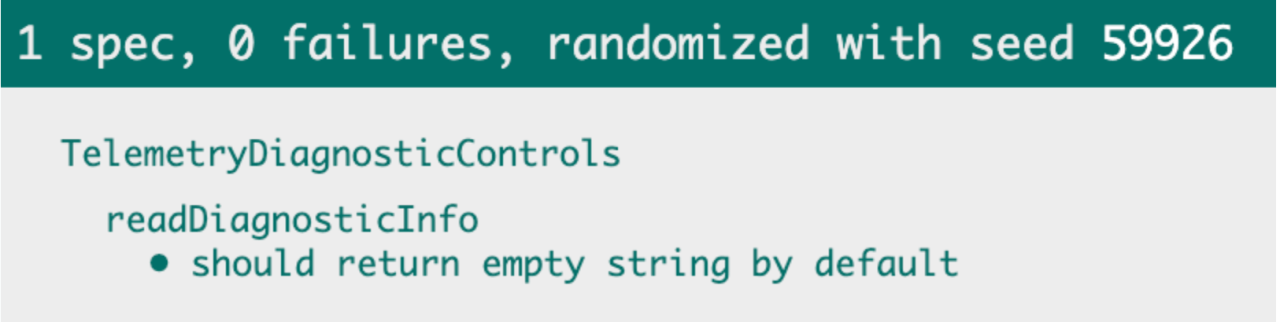
That’s great. Our test is doing exactly as expected. If we remove the line of code from the method or from the constructor that sets the default value, the test fails. And that is what we expect.
The second prompt would be:
Now let’s write a test that it should return the value set by the write method
It generated a plain and simple test that does the job:

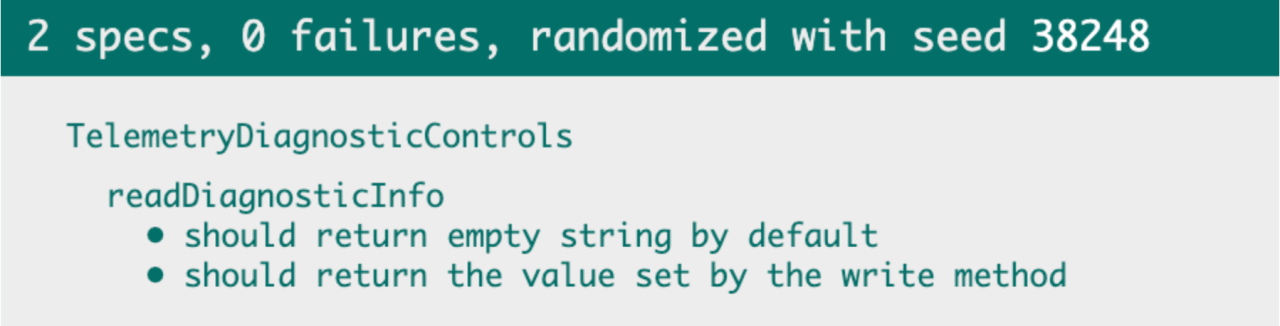
We covered the first interface point!
We did that while setting the testing standards and style.
Let’s move on to the second API – writeDiagnosticInfo.
Prompt 3:
Now we will test the write method in the same manner
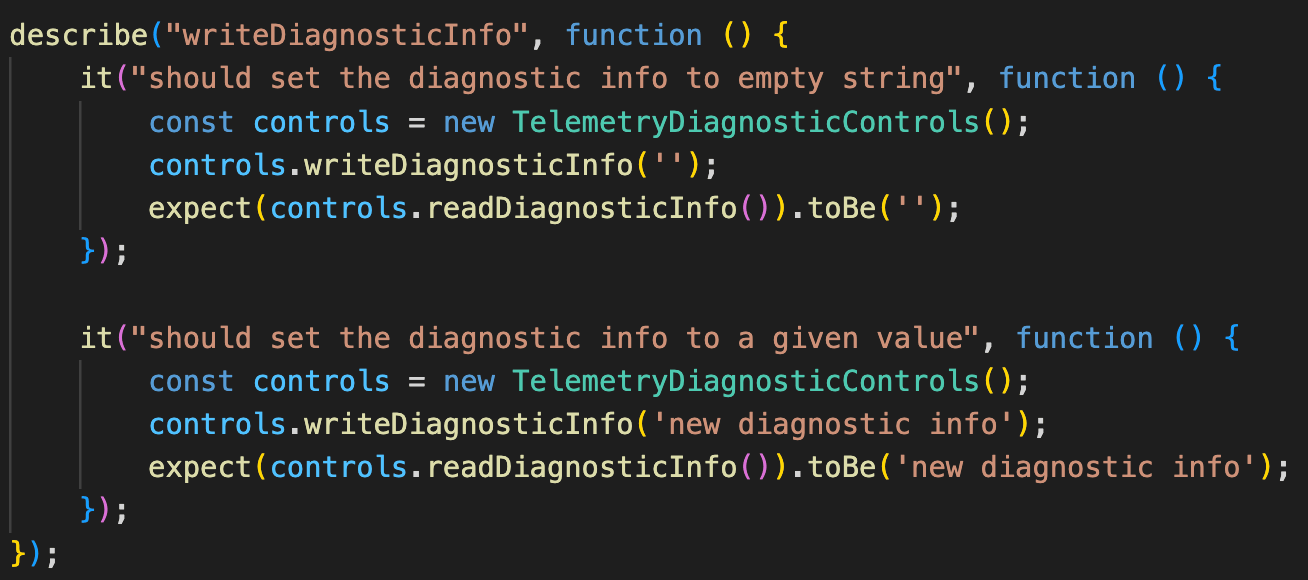
Here we let the AI do more work in bulk, because we already know what to expect. Moreover – the AI learned our style and standards.
This saves us time so we can speed up the work and skim parts that the AI and us are already versed in. Like repeating and similar use cases.
This way, AI saves us more and more time as we move forward, while still being easy to follow.
Now that we understand the main idea, we can start working on the main logic – the checkTransmission method.
Testing Complex Legacy Code
The way we do that is much like documenting the old code.
Here’s the code:
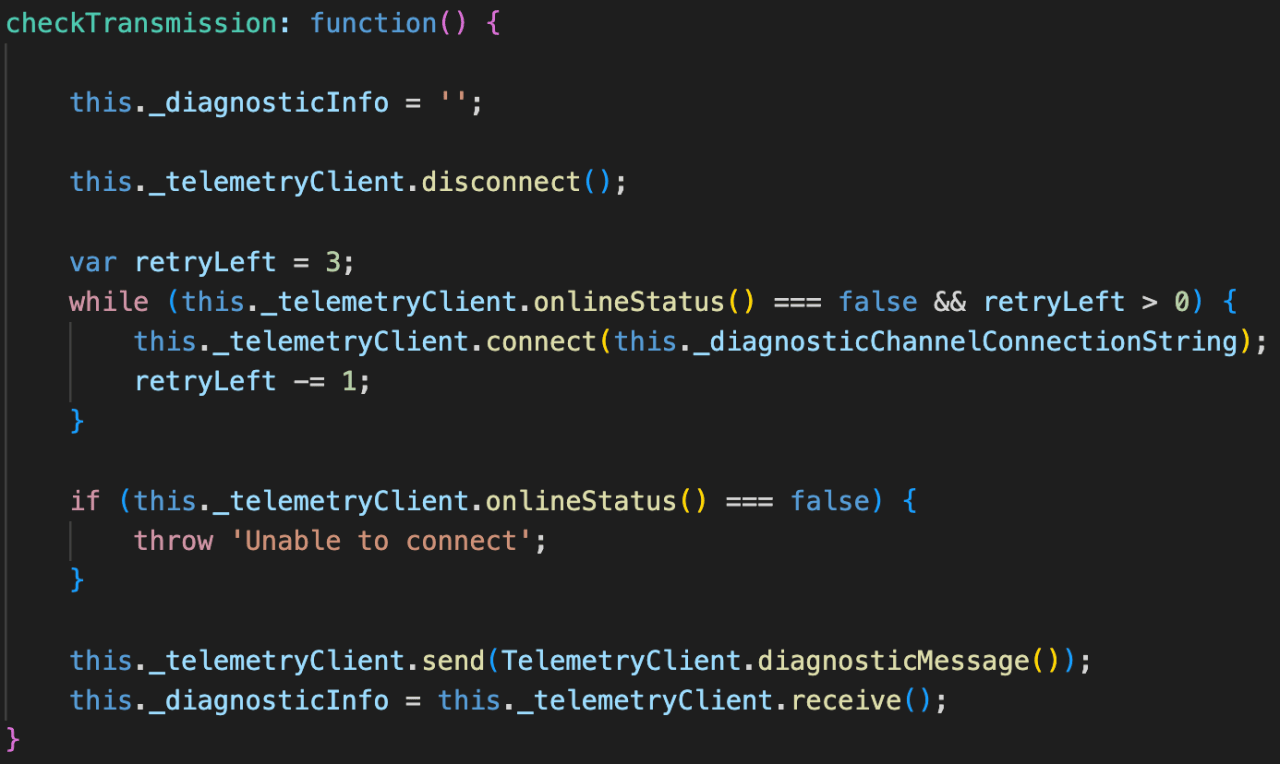
We follow the code line by line and as the AI to cover it.
The first line resets the diagnosticInfo to an empty string. A few lines later, we see we should expect that if connection fails three times. Easy?
Coupling and Hidden Meaning
But before this rule is tested, we see a line with telemetryClient.disconnect. That’s a clear sign of legacy code and that the code was not written with testability – and hence readability – in mind.
It’s just a single line of code, you might say, right?
The problem is, that in order to understand what this line of code is doing, you need to actually read the code. Moreover – you need to read the implementation of the disconnect method to understand if there are implications on TelemetryDiagnosticControls itself.
If telemetryClientalso affected TelemetryDiagnosticControls, it would have created coupling between the TelemetryDiagnosticControls and the telemetryClient.
By injecting the client to the controls (via the constructor), we partly decouple them by making TelemetryDiagnosticControls care only about the interface and not the implementation of telemetryClient. In other words, we eliminated construction and bidirectional coupling, but not the dependency itself.
Because of that, we still need to make sure TelemetryDiagnosticControls is calling the client’s disconnect method, but not care what it is doing.
Prompt 4:
Now we will test the checkTransmission method.
The first test will be to mock the client instance to make sure we call the disconnect method.
The test that was generated now is more complex than before. This is expected, as this is not a simple getter or setter.
The AI created mocks for us, as seen in the first 3 lines of the test case. It analyzed the code and interface of our dependency (the client) and generated the needed stubs and mock return values. This in itself saves a lot of time.
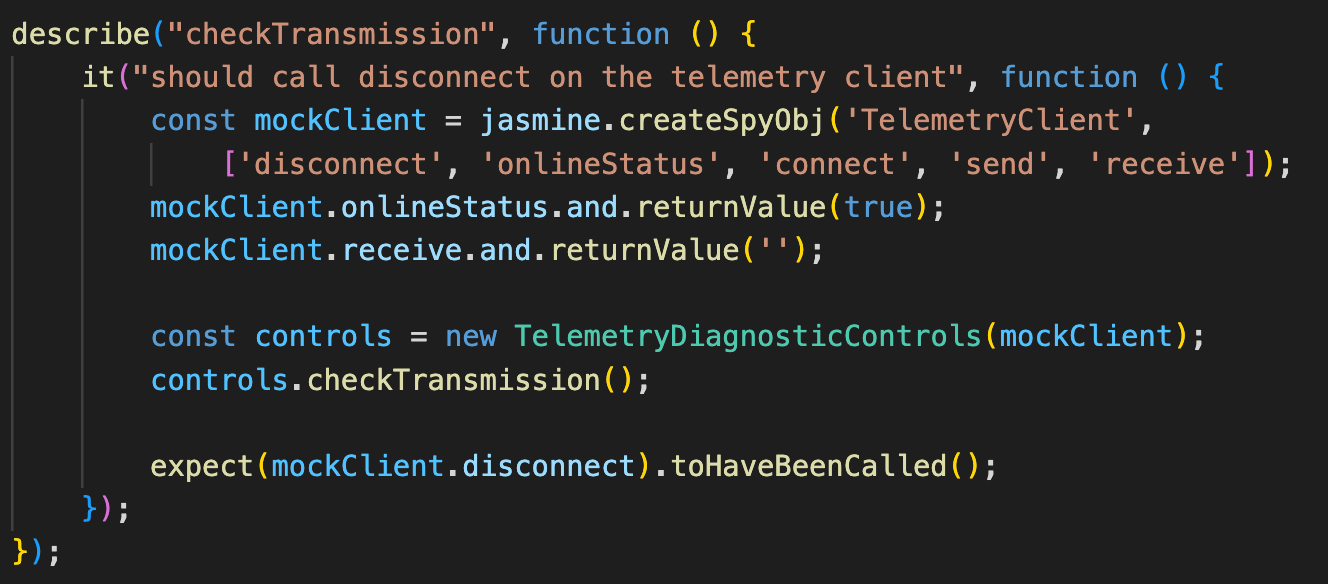
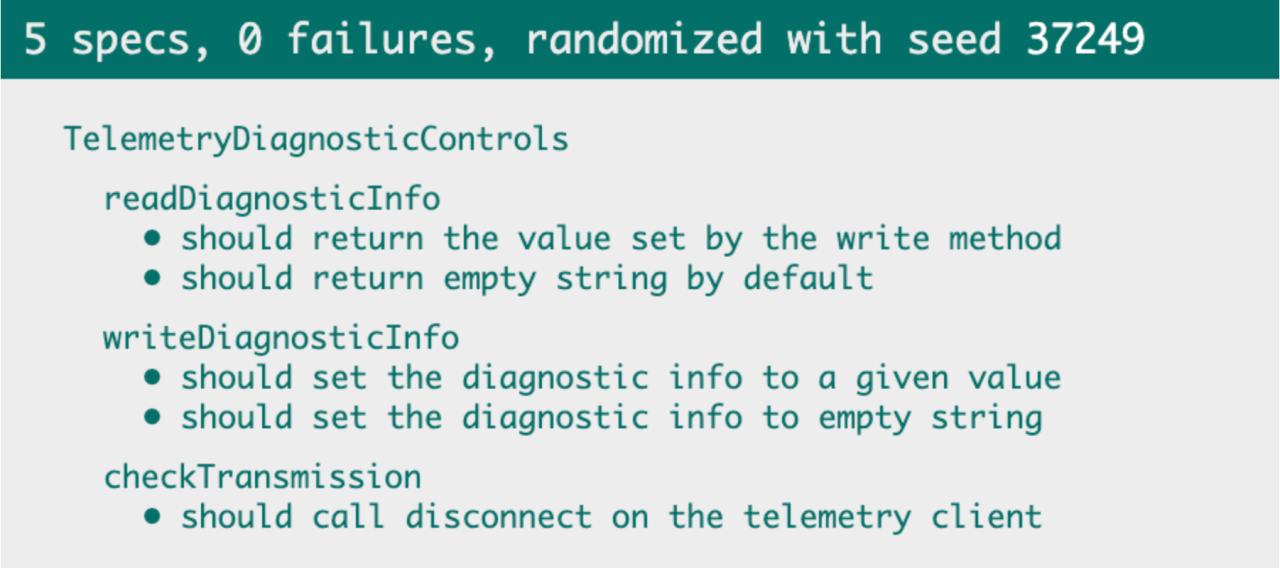
If we delete the line that calls disconnect, the test fails for it – which is a good sign our test is valid.
We are now ready to prompt our way to test the diagnosticInfo reset.
Prompt 5:
Add a test to verify readDiagnosticInfo resets if connection fails 3 times.
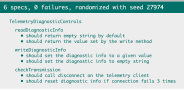
Again the AI agent created the relevant mocks and stubs for us, and we have a test that verifies the info is reset on every call to the checkTransmission.
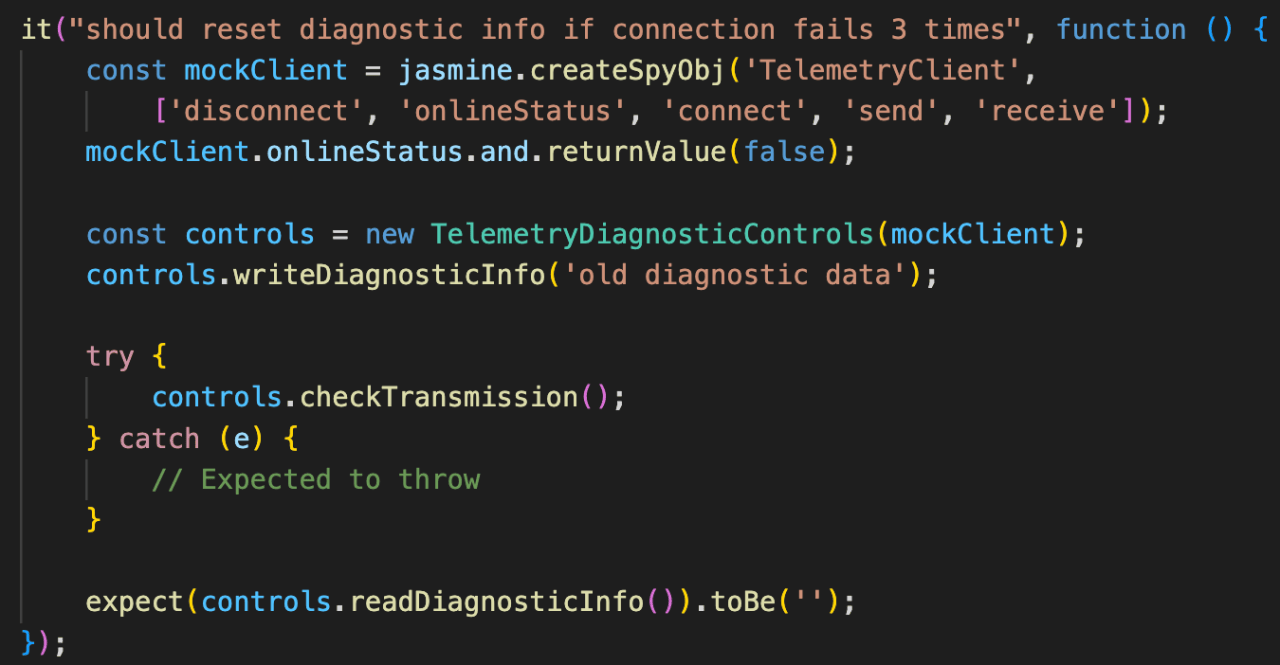
Amazing!
The next lines in the method throw an error if we fail to connect 3 times:

That is easy to test:
Prompt 6:
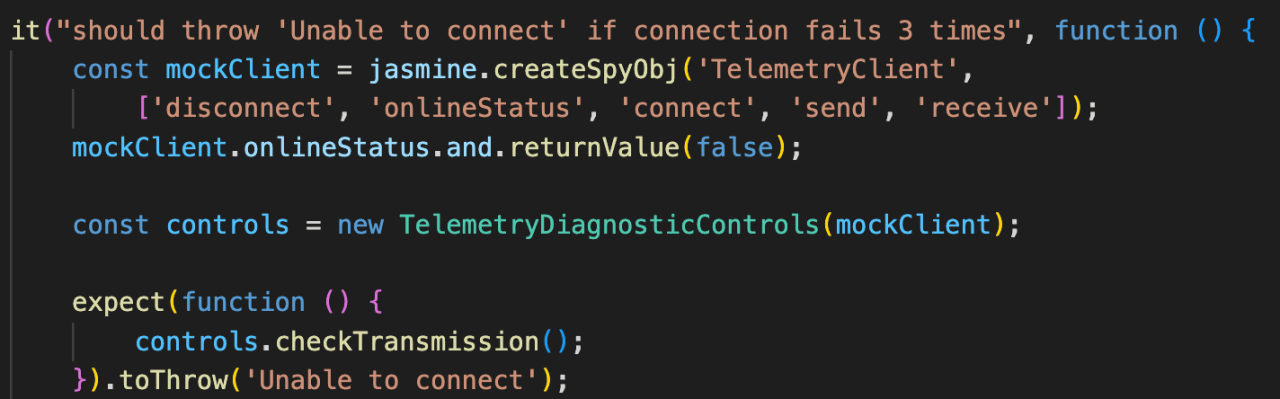
Add a test to verify it throws ‘Unable to connect’ if connection failed 3 times
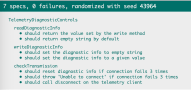
The test is straight forward here – we expect the function to throw, just as we asked.
*** Side note: I could have let the AI to analyze the function for me, or tell it to generate a test for the lines of code – and it would probably have been similar. ***
We’re almost done!
Before we continue, I want to emphasize a very important principle in making sure we don’t leave a legacy where we go: Refactoring. This part should be done after every step – but I do it here one time, and the AI will learn to suggest it on its own.
Prompt 7:
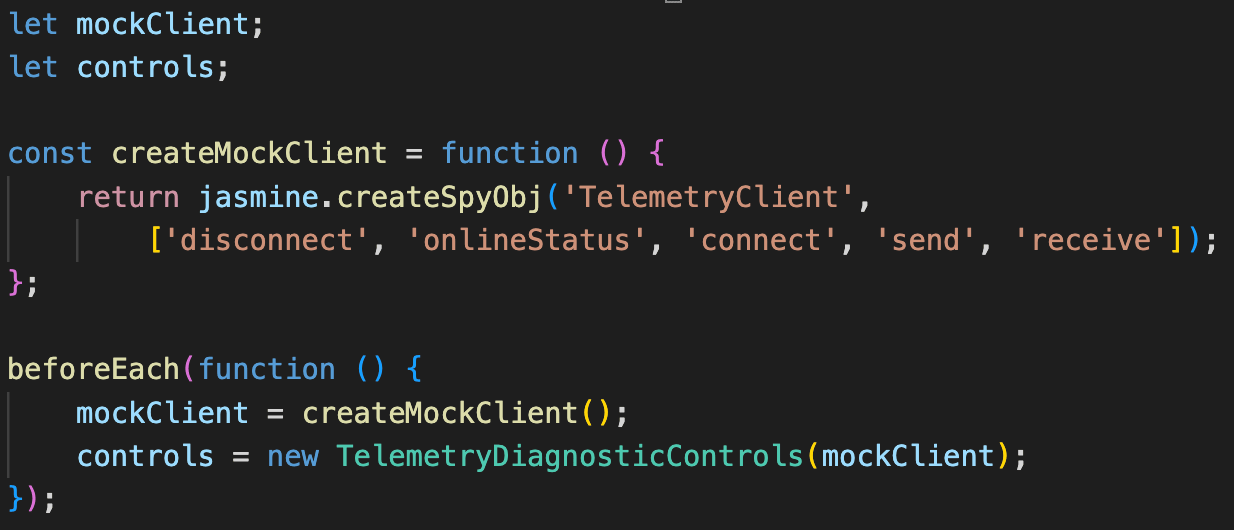
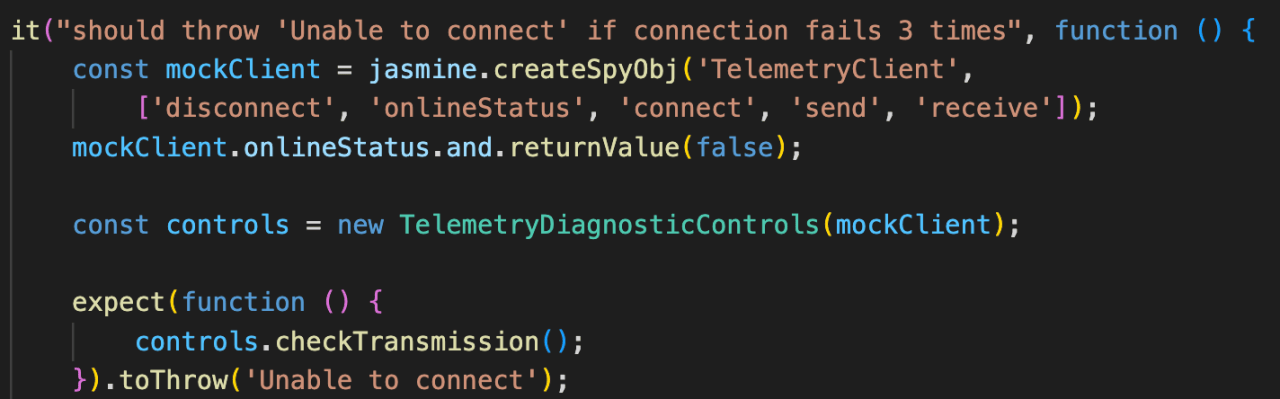
Refactor the tests to reduce boilerplate – add beforeEach and extract to helper functions as needed
The agent extracts the relevant code and uses the functions to reduce boilerplate.
Extraction:
Before:
After:
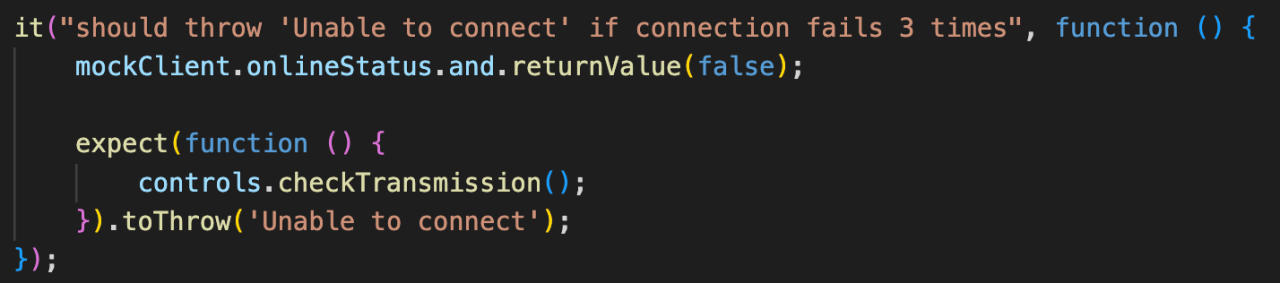
Now that our code is leaner, let’s finish covering it with tests.
The last two lines of code are:

The first line is much like the disconnect method – we will make sure it is fired with the relevant data.
Here we find another coupling – TelemetryClient.diagnosticMessage().
We’ll leave it coupled, because we just want to make sure it is covered. Worst case, we can remove the coupling later by allowing the user to inject a diagnosticMessage to the TelemetryDiagnosticControls.
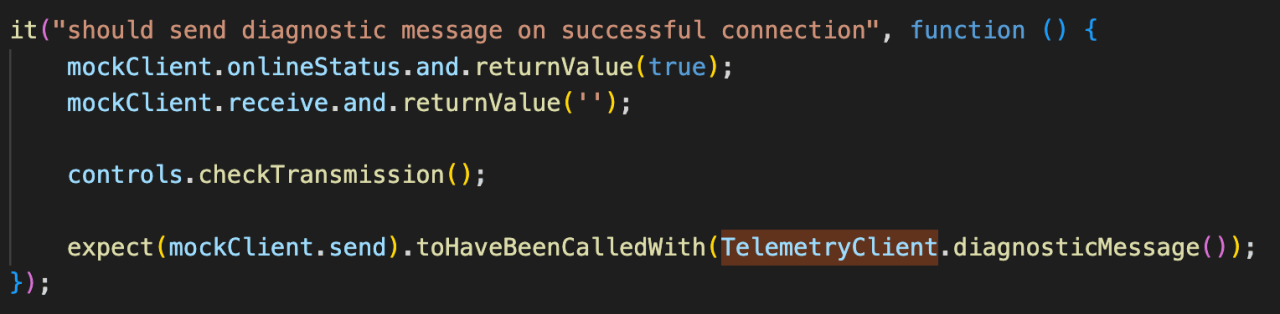
We will ask the agent to cover this part with Prompt 8:
test that on successful connection we call the client’s send with the diagnostic message
Which results with the following test. It should be very familiar to you by now, so code reviewing the AI’s work takes no longer than a few seconds.
Finally, the last line of code can be covered with Prompt 9:
Test that diagnosticInfo is updated with what’s returned from _telemetryClient.recieve
Which results in the following test:
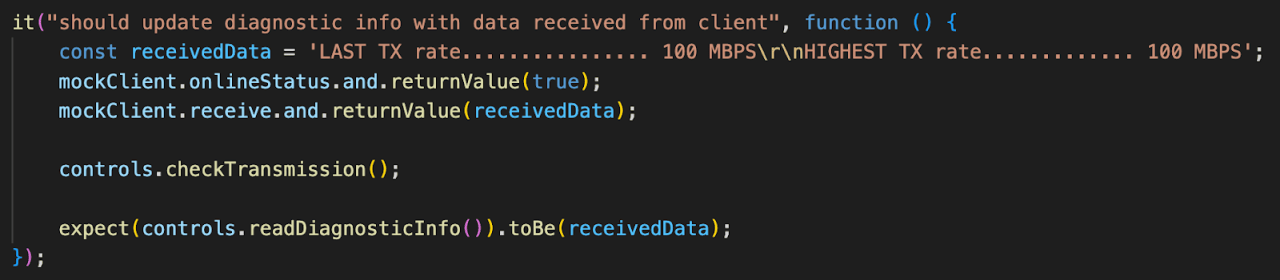
And just like that, with nine prompts, we covered our module and turned it into a “non legacy” code.
Leveraging the Experience
We made it! We successfully covered a section of code with tests and freed it from being Legacy.
We saw we can let the AI work more freely with experience.
How does one uses the experience with the AI?
I found that asking the AI what it learned as a good method to transfer its experience from session to session.
My prompt varies but it’s something of the form: generate a set of instructions based on our last session for future chats
This will generate instructions you can copy-paste to your favorite agent tool, project MD file etc.
Summary
Legacy code, with its dual definitions of being complex and lacking tests, is indeed a tricky creature.
However, with the aid of modern AI agents, the transition to clean, tested code is more achievable than ever before, provided we follow a key principle: work in small, deliberate steps.
The more we work with the AI, the more it learns our style and imitates it. Our style includes not only best practices – but also how we phrase the tests.
What we did in this small example is an implicit way of instructing our agent. One can finish a good session with the agent and then ask it to generate a set of instructions to add to any tool to follow.
The end result is not just tests – it is a live documentation of our code that both humans and AI can understand easily. And we earned it by getting rid of legacy code. Three for the price of one – that’s a win!
What AI Is Good and Bad At in TDD
AI is good at things, weak at others. Our “job” as the people responsible for the outcome is to supervise and add our value where it struggles.
AI struggles with:
- Understanding business intent
- Avoiding implementation-detail tests
- Choosing good test names
- Ensuring failing tests fail for the right reason
It excels at:
- Boilerplate test structure and mocks
- Repetitive test generation
- Fast refactoring (e.g., beforeEach extraction)
When I say “struggle” I don’t mean it can’t do it. I just mean we need to be extra careful with output that is related to these tasks. Work in small steps, so you could double check and guide the agent.
By breaking down the testing process, we ensure that each chunk of code is thoroughly documented and covered by a solid test, making the code easy to follow and understand.
More importantly, these passing tests create a vital safety net, preventing regressions and ensuring nothing breaks when we inevitably need to change or refactor the code later on, which is invaluable in a more complex codebase.
Extracting rules from the session is a good way to speed up future work – in this project and others. It will also help maintain similar standards.
Ultimately, the goal is confident development.
One way to increase confidence is to code review the small chunks. Another way that we mentioned here is to perform a mutation test: temporarily change or remove the line of code being tested. If the test fails for the precise reason you expect, you have a solid, reliable test that truly covers your logic.
AI and TDD go well hand in hand – the more you work with the agent, the faster the workflow will be. This will increase development velocity while ennsuring high quality and maintainability.